
Is 10jqka.com.cn down right now?
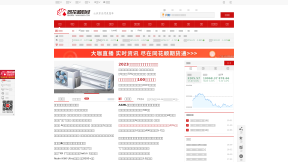
核新同花顺网络信息股份有限公司(同花顺)成立于1995年,是一家专业的互联网金融数据服务商,为您全方位提供财经资讯及全球金融市场行情,覆盖股票、基金、期货、外汇、债券、银行、黄金等多种面向个人和企业的服务。
No ratings
History
| 14 days ago | 13 days ago | 12 days ago | 11 days ago | 10 days ago | 9 days ago | 8 days ago | 7 days ago | 6 days ago | 5 days ago | 4 days ago | 3 days ago | 2 days ago | 1 day ago | Now | |
|---|---|---|---|---|---|---|---|---|---|---|---|---|---|---|---|
| Web Site | No Data | No Data | No Data | No Data | No Data | No Data | No Data | No Data | No Data | No Data | No Data | No Data | Maybe | Up | Up |
Check History
| Time | Status | Time | Status |
|---|---|---|---|
| Up (3892 ms) OK |
Is 10jqka.com.cn web site working today on Tue, Jul 21, 2026? Web Site is Up.
How can I fix a website that is not working for me?
If RightNowDown says the site is working, and you still cannot access it, try these tips:
Restart your computer
Often the easiest way to fix the internet on your computer is to restart your computer.
Windows:
- Press the Windows key on your keyboard.
- Click on the "Power" icon in the bottom-left corner of the Start menu.
- Select "Restart" from the menu.
- Your computer will restart.
Mac
- Click the Apple menu in the top-left corner of the screen.
- Select Restart.
- Your Mac will restart.
Restart your router/modem
- Unplug the power cable from your modem/router.
- Wait for at least 30 seconds.
- Plug the power cable back in and wait for your internet to come back online.
Here are some additional tips for restarting your modem/router:
- If you have a cable modem, you may also need to unplug the coaxial cable from the back of the modem.
- If you have a wireless router, you may also need to unplug the Ethernet cable from the back of the router.
- Once you have restarted your modem/router, it may take a few minutes for your internet to come back online.
Restarting your modem/router can often fix problems with your internet connection, such as slow speeds or dropped connections. It is a good idea to restart your modem/router every few months to keep it running smoothly.
Clear your DNS cache
A DNS cache is a temporary store of DNS records on your computer. When you type a website address into your browser, your computer first checks its DNS cache to see if it has the IP address of the website. If it does, it will use that IP address to connect to the website. If it doesn't, it will contact a DNS server to get the IP address.
Sometimes, the DNS cache can become outdated or corrupted. This can cause problems when you try to connect to a website. For example, the website may not load properly, or you may get an error message. Clearing the DNS cache can help to fix these problems.
Here are some reasons why you might want to clear your DNS cache:
- Your computer is having trouble connecting to a website.
- You are seeing an error message when you try to connect to a website.
- You have recently changed your DNS settings.
- You are having problems with your internet connection.
Clearing your DNS cache is a relatively simple process. You can do it from your computer's command prompt or from your web browser.
Windows:
- Press Win + R to open the command prompt.
- Type the following command and press Enter:
ipconfig /flushdns
- You should see a message that says "Successfully flushed the DNS Resolver Cache."
Mac:
- Open Terminal.
- Type the following command and press Enter:
sudo killall -HUP mDNSResponder
- You should see a message that says "mDNSResponder killed."
Check you are not blocked from accessing the site
Here are some reasons why you might be blocked from accessing a web site:
- The website might be blocked by the computer's firewall or antivirus software.
- The website might be blocked by the computer's network administrator.
- The website might be blocked by the government in the country where the computer is located.
Here are some additional reasons why a computer might be blocked from accessing a website:
- The website might be down for maintenance.
- The website might be blacklisted by a spam filter.
- The website might be infected with malware.
If you are having trouble accessing a website, you can try the following:
- Check your firewall or antivirus software settings to make sure that the website is not blocked.
- Contact your network administrator to see if the website is blocked by the network.
- Check the website's status page to see if it is down for maintenance.
- Use a different web browser to try to access the website.
Top Sites
youtube.com
101soundboards.com
pharmdata.co.uk
richersounds.com
leeds.ac.uk
goosely.net
shop.101soundboards.com
kvetnik.by
multicanais.fans
rule34.us
metadataapi.net
thepiratebay.org
tactics.tools
ontw.followthatpage.com
always.com
uk.rs-online.com
grumpire.com
pharmailer.co.uk
traccar.org
imakeinternet.com
slam.nl
rightnowdown.com
adnade.net
heavenlycarephc.com
Latest Checked Sites
wallhaven.cc
joom.com
slam.nl
time.nl
shell.us
everwallet.net
av19.org
bloxd.io
myfitnesspal.com
buzzfeednews.com
yoyo.org
photopea.com
newtoki15.org
pussyboy.net
likerro.com
dtadnetwork.com
rainviewer.com
baginya.org
voovmeeting.com
jazz.com.pk
solarlog-web.de
cloudbeds.com
payworks.ca
appriss.com
awtmt.com
rewardstyle.com
ctpost.com
calciomercato.com
hmrc.gov.uk
sallybeauty.com
usetiful.com
kucoin.com
imgsrc.ru
10jqka.com.cn
adinsights.globo
mediamond.it
footballtransfers.com
apteka.net.ua
oricon.co.jp
decodeace.com
navitime.co.jp
mdasf1ladh.com
pubmed.gov
kemono.su
tikwm.com
vidsrc.pro
click-trk.com
acstuff.ru
namecheap.com
whova.com
flexjobs.com
backiee.com
faappsdev.com
uukanshu.com
emailsys1a.net
groininsightclaimed.com
amarfa.ir
cdn-cookieyes.com
traccar.org
kugou.com
rightnowdown.com
steelseriescdn.com
google.com.vn
blahaj.zone
techspot.com
mini1.cn
pmc.com
now.gg
settrade.com
bitnami.com
zend.com
ciuvo.com
wejianzhan.com
rakuten.co.jp
netsons.net
101soundboards.com
contextweb.com
pushnetwork.com
dnsmadeeasy.com
tistory.com
streamlit.io
rendez-vous.ru
steam-money.ru
lacuerda.net
skillbox.ru
pic123.top
facebook.com
creatio.com
pop-os.org
romwe.com
okta-emea.com
mail.yahoo.com
totalsororitymove.com
vodafone.com
oodrive.com
estatesales.org
polarr.co
gleap.io
tn.gov
Search
Down Right Now
dtadnetwork.com
appriss.com
imgsrc.ru
adinsights.globo
mediamond.it
imgsrc.ru
decodeace.com
kemono.su
vidsrc.pro
flexjobs.com
uukanshu.com
groininsightclaimed.com
appriss.com
kugou.com
wejianzhan.com
rakuten.co.jp
netsons.net
pushnetwork.com
steam-money.ru
pic123.top
oodrive.com
tn.gov
deephicy.net
xiaoeknow.com
mkklcdnv6tempv2.com
9966.com
oodrive.com
sicurezzapostale.it
10jqka.com.cn
vstar.app
easynews.com
gadservices.net
oodrive.com
huawei.ru
chapmanganelo.com
1v1.lol
readm.org
connectjasper.com
streetsmartcentral.com
flixhq.to
codeproject.com
gadservices.net
streetsmartcentral.com
readm.org
gadservices.net
readm.org
snai.it
connectjasper.com
gadservices.net